
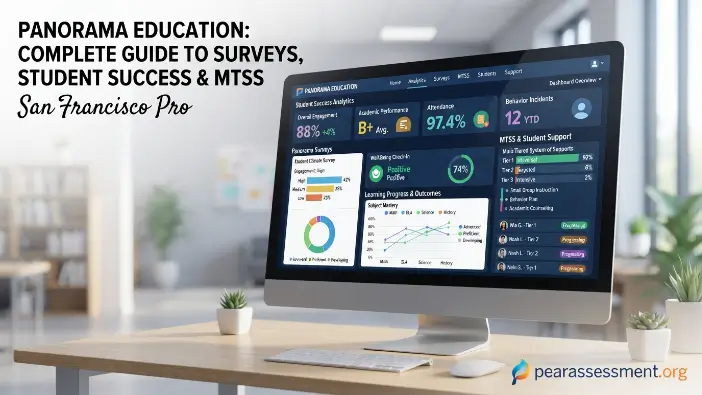
Welcome to Pear Assessment. Panorama Education is a K–12 education technology platform that helps schools analyze student information and improve educational outcomes. It combines data on academics, attendance, behavior, well-being, and student voice to help educators identify student needs and plan appropriate support. Panorama reports that its platform serves more than 15 million students across 25,000 schools and 2,000 districts in the United States.
Schools use Panorama Education for student success, MTSS, surveys, interventions, behavior monitoring, and graduation planning. The platform helps educators turn student data into actionable insights. This guide explains Panorama’s core functions, data management, student support tools, and practical applications in schools.
What Is Panorama Education?
Panorama Education is a U.S.-based education technology company founded in 2012 that helps K–12 schools and districts understand student needs. Its platform combines information about academic performance, attendance, behavior, student engagement, and well-being to give educators a broader view of student progress. Schools can use these insights for MTSS, intervention planning, progress monitoring, surveys, and school improvement. Available features depend on the products and services selected by each district.
What Panorama Education Does
The primary purpose of Panorama Education is to help educators turn student data into useful insights. By connecting information about academics, attendance, behavior, and survey responses, the platform helps school teams identify patterns, plan interventions, and monitor student progress.
Panorama also supports student voice and school improvement through surveys. Schools can gather feedback from students, families, teachers, and staff to evaluate school climate, belonging, and engagement. Educators can use this feedback to guide improvement plans and make informed decisions about student support.
Who Uses Panorama Education?
Panorama Education supports different members of the school community:
- Teachers: Review student data and plan classroom interventions.
- School leaders: Identify school-wide trends and improvement opportunities.
- MTSS teams: Coordinate student interventions and track progress.
- District leaders: Analyze patterns across schools and student groups.
- Students: Share feedback and, where enabled, review progress information.
- Families: Provide feedback and participate in selected student-support activities.
Available information and permissions vary according to each district’s configuration and selected Panorama products.
How Does Panorama Education Work?
Panorama Education helps schools organize student information, identify meaningful patterns, and plan appropriate student interventions. Educators can review multiple indicators together, select suitable support strategies, and monitor whether those strategies improve student outcomes.
Bringing Student Data Into One View
Student information is often spread across student information systems, assessment platforms, surveys, and intervention records. Panorama Student Success is designed to bring relevant information together so educators can better understand individual student needs.
Depending on the district’s setup, educators may be able to review:
- Grades and coursework — identifies changes in academic performance.
- Attendance — highlights absences and attendance patterns.
- Behavior — provides context about behavioral changes.
- Assessments — helps track academic performance and progress.
- Student engagement and life skills — provides insight into student development.
- Survey and intervention information — adds student feedback and intervention history.
Combining these indicators helps educators identify students who may need further assessment or additional support.
Turning Data Into Student Support
Panorama Education can help schools organize their student intervention process:
- Review data to understand the student’s current situation.
- Identify patterns that may indicate a need for support.
- Consider context before choosing an appropriate response.
- Choose an intervention that addresses the student’s needs.
- Monitor progress to evaluate the intervention’s effectiveness.
- Adjust the plan when progress is limited or circumstances change.
This process supports data-driven decision-making by helping educators use student information to guide interventions and evaluate outcomes.
Early Warning and Student Support
Early warning indicators help educators recognize potential student difficulties by examining changes in attendance, coursework, assessments, and behavior. Panorama Education can support this process by helping schools identify students who may benefit from targeted or intensive MTSS interventions.
These indicators should guide further investigation rather than determine a student’s needs on their own. Educators should consider individual circumstances and other relevant information before deciding which support strategy is appropriate.
Read Also: Pear Assessment Reports: Complete Teacher Guide
Panorama Education Features and Products
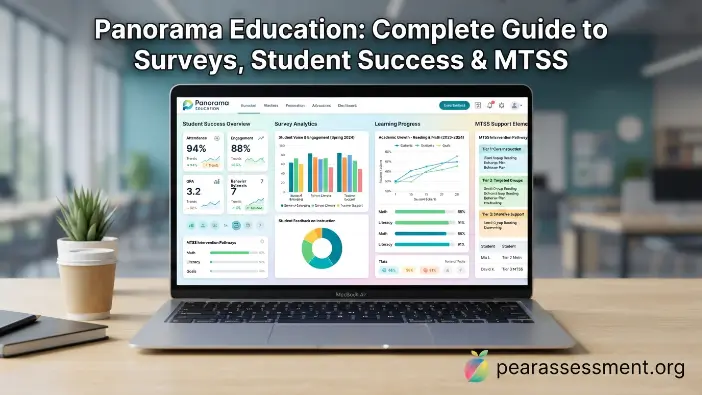
The Panorama Education platform offers products that help schools manage student success, student support, and school improvement. Its tools cover student interventions, surveys, behavior tracking, graduation planning, and AI-assisted educator tasks. Available features depend on the products selected by each school or district.
Panorama Student Success
Panorama Student Success supports MTSS by helping educators review student information, identify needs, coordinate interventions, and monitor progress.
Common uses include:
- Reviewing student data: Identifies student needs and important patterns.
- Creating and tracking interventions: Organizes support plans for students who need additional help.
- Monitoring progress: Helps teams evaluate intervention outcomes.
- Coordinating student support: Allows teachers, counselors, and staff to share relevant information.
- Reviewing trends: Helps schools understand broader student needs.
Panorama Surveys and Engagement
Panorama Surveys and Engagement helps schools collect feedback from students, families, teachers, and staff to understand school climate, student engagement, and areas for improvement.
Surveys can cover areas such as:
- School climate and student engagement
- Belonging and relationships
- Teaching and learning
- Family-school relationships
- Staff experience
Panorama describes its surveys as research-backed, and its student survey work was developed with researchers at Harvard Graduate School of Education. Schools can use results to identify strengths, understand concerns, and track feedback over time.
Behavior Logging and Analytics
Behavior Logging and Analytics helps schools record behavior data, identify recurring patterns, and review them alongside attendance and academic performance. This additional context can help educators understand student needs and plan appropriate interventions.
Panorama Pathways
Panorama Pathways supports graduation tracking and student readiness by helping schools manage graduation requirements, transcript audits, scheduling, career and technical education requirements, and individualized student plans.
These tools help counselors identify missing requirements and potential graduation barriers so students can stay on track toward graduation and future goals.
Panorama Solara and AI
Panorama Solara is Panorama’s AI-powered education platform, designed to assist educators with student-support tasks. Depending on district settings, it can help prepare intervention plans, family communications, progress reports, and other support materials.
Solara can also work with Panorama Student Success, Surveys and Engagement, and Pathways. Educators should review AI-generated content before sharing it, particularly when it involves sensitive student information or intervention decisions.
Panorama Education Surveys: What Are They Used For?
Panorama Education surveys help schools understand how students, families, teachers, and staff experience their school environment. They provide insight into school climate, student engagement, relationships, and other factors that may not appear in academic or attendance records. Schools use the feedback to identify concerns and guide improvement efforts.
Student Surveys
The Panorama Student Survey allows students to share feedback about school climate, teaching and learning, relationships, and belonging. Panorama says its student survey was developed with researchers at Harvard Graduate School of Education and uses research-based question design to explore important aspects of student experiences.
The survey helps schools understand areas such as:
- Belonging: Whether students feel accepted and connected at school.
- Adult support: Whether students feel supported by teachers and other adults.
- Learning environment: How students perceive their classrooms and school experience.
- Areas for improvement: Which aspects of school life may need attention.
Teacher, Staff, and Family Surveys
Panorama Education also offers surveys for teachers, staff, and families. These surveys help schools gather different perspectives on the learning environment and identify shared concerns that may require further discussion or action.
How Schools Use Survey Results
Survey findings can support school improvement through activities such as:
- Identifying trends: Recognizing recurring patterns in feedback.
- Recognizing strengths: Understanding what students and the school community value.
- Finding improvement areas: Identifying concerns that need attention.
- Comparing results: Tracking changes across survey periods.
- Supporting planning: Using feedback to guide school improvement initiatives.
- Starting conversations: Encouraging discussions with students and staff.
Panorama provides reporting tools and benchmarks to help schools analyze results. Schools gain the most value when they interpret feedback carefully and use it to guide practical improvements.
How Panorama Supports MTSS and Student Interventions
Panorama Education supports Multi-Tiered System of Supports (MTSS), a framework for providing different levels of academic, behavioral, and other assistance according to student needs. By connecting student information with MTSS workflows, schools can identify students who need help, organize interventions, and monitor progress.
Panorama and MTSS
Schools can use Panorama Student Success to organize student information and interventions across three levels of MTSS:
- Tier 1: Universal support provided to all students through regular classroom and school practices.
- Tier 2: Targeted assistance for students who need additional support.
- Tier 3: More intensive, individualized support for students with significant or ongoing needs.
Panorama helps educators document interventions, coordinate with colleagues, and review progress. Educators determine which support level and intervention are appropriate for each student.
Intervention Planning and Progress Monitoring
Educators can create an intervention plan based on a student’s needs and available information. The plan identifies the support being provided and helps the team monitor progress.
Progress monitoring helps educators evaluate whether an intervention is effective. If improvement is limited, the team can review the strategy and adjust the plan to better address the student’s needs.
Using Academic, Attendance, and Behavior Data Together
Reviewing a single indicator may not provide a complete picture of student needs. Panorama Education helps educators consider multiple factors, including:
- Attendance: Frequent absences may affect learning and participation.
- Academic performance: Changes in grades or assessment results may indicate learning difficulties.
- Behavior: Recurring behavior concerns may provide additional context.
- Engagement and belonging: Low engagement or weak school connections may affect a student’s experience.
Considering these indicators together can help educators investigate possible root causes and select appropriate interventions based on individual circumstances.
Benefits of Using Panorama Education
Key potential benefits of Panorama Education include:
- Centralized student information: Brings relevant student data together.
- Earlier identification: Helps schools recognize potential concerns.
- Coordinated interventions: Supports organized student assistance and progress tracking.
- Data-informed decisions: Helps educators consider multiple indicators when planning support.
- Student voice: Gives students opportunities to share feedback.
- Progress monitoring: Helps teams evaluate intervention outcomes.
- System-level visibility: Enables district leaders to identify broader patterns.
Panorama reports research showing associations between Student Success use and gains in math and reading. Its research page also describes Student Success as having ESSA Level II evidence. These findings do not guarantee the same outcomes for every school or student.
Panorama Education Data Privacy and Security
Because student records contain sensitive information, data privacy and security are important when schools use Panorama Education. Panorama states that its platform handles student information to provide services to schools and districts. Data collection, access, and use can depend on district agreements, local policies, and the products being used.
How Panorama Handles Student Data
According to Panorama, student information is used to provide services to schools and districts. The company states that it does not share education or student information unless authorized by the school or district or permitted by applicable law.
Schools and districts should review their data-sharing agreements and privacy policies to understand how information is handled and who can access it.
FERPA, COPPA, and Other Standards
Panorama Education states that it complies with FERPA, PPRA, and COPPA, U.S. laws related to student and children’s privacy. Panorama also states that it does not sell or rent students’ personal information or use student information to advertise to students.
Schools should review privacy documentation, contracts, and security practices before adopting or expanding the platform.
What Parents and Students Should Know
Parents and students can ask their school or district how Panorama Education is used and what information it handles. Important questions include:
- What data is collected? Identify which student records or survey responses are included.
- Why is it collected? Understand how the information supports education and student services.
- Which tools are used? Districts may use some Panorama products but not others.
- How are surveys managed? Ask when surveys are administered and what topics they cover.
- Who can access the data? Find out which school or district staff can view the information.
- What local policies apply? Review district rules governing student information.
Panorama says districts determine when and how surveys are administered and which questions are included. Parents and students should consult their school or district for details about local practices.
Panorama Education for Teachers, Students, and Families
Panorama Education supports different school community members through student data, interventions, surveys, and selected student-facing tools. Teachers can coordinate support, students can provide feedback, and families can participate in surveys and other school activities.
For Teachers
Teachers can use Panorama Education to review student information, identify support needs, create and track interventions, and monitor progress. The platform may also provide access to evidence-based strategies and relevant student insights.
By organizing information and intervention workflows, Panorama can reduce the need to search across separate systems and help teachers focus on student support.
For Students
Students may participate in Panorama Education through student surveys and, depending on district settings, tools for reviewing academic progress, graduation requirements, and future plans.
Student-facing tools may provide information about graduation requirements, career and technical education (CTE) completion, and other district-configured pathways, helping students understand which requirements they still need to complete.
For Families
Families can participate through family engagement surveys and selected student-support activities. Their feedback helps schools understand student experiences, communication, and the learning environment.
Schools should explain what information is collected, why it is needed, and how feedback may support student support or school improvement.
Panorama Education Login and Access
The Panorama Education login process varies by school and district, depending on local authentication settings. Panorama says students may access its student-facing application through district systems such as Clever or ClassLink using Single Sign-On (SSO).
To access Panorama, follow these steps:
- Open your school or district portal and look for the Panorama option.
- Check Clever or ClassLink if your school uses either service for SSO.
- Sign in with your school-provided account rather than creating an unofficial account.
- Contact your school or district if the login option is unavailable or you cannot sign in.
Verify that a login page is official before entering your credentials, and avoid unofficial websites requesting your school username or password.
Is Panorama Education a Learning Management System?
No. Panorama Education is not primarily a traditional Learning Management System (LMS). An LMS typically manages courses, lessons, assignments, learning materials, and grades. Panorama focuses on student data, MTSS, surveys, interventions, engagement, and student-support workflows.
Panorama also states that it does not provide curriculum to districts. Schools can therefore use it alongside an LMS rather than as a replacement. An LMS may manage assignments and course content, while Panorama helps educators review student success information and coordinate additional support. Schools may also connect these tools with a student information system and assessment platforms.
Common Challenges and Best Practices
Using Panorama Education effectively requires clear goals, trained staff, consistent workflows, and responsible student data practices. Schools need to connect the platform’s information with practical support strategies to make effective use of its tools.
Avoiding Data Overload
More data does not automatically lead to better decisions. Too many dashboards, alerts, and metrics can make it difficult to identify important information. Schools should prioritize data that directly supports their student success goals and intervention processes.
Determining which information is necessary before creating reporting routines helps staff spend less time sorting through data and more time addressing student needs.
Turning Survey Results Into Action
Collecting student voice through surveys is useful when schools apply the findings to improvement efforts. School teams should prioritize the issues most relevant to their goals rather than trying to address every concern at once.
A practical process is:
- Identify key findings that deserve attention.
- Discuss possible causes with relevant staff and stakeholders.
- Choose a few priorities that can realistically be addressed.
- Create an action plan with clear responsibilities.
- Review results later to determine whether conditions have improved.
This process makes surveys part of ongoing continuous improvement rather than a one-time data collection activity.
Protecting Context and Human Judgment
Student data can reveal changes without explaining their causes. For example, declining grades may result from several factors that cannot be identified from academic results alone. Educators should consider individual circumstances, classroom context, and other relevant information before making decisions.
Panorama Education should support professional judgment rather than replace it. Data helps educators investigate concerns and make informed decisions, while human experience remains essential to student support.
Getting the Most From Panorama
Schools can improve their use of Panorama Education by following consistent implementation practices:
- Set clear goals: Define the outcomes the school wants to improve.
- Train staff: Ensure educators understand the tools and workflows they use.
- Create consistent processes: Establish clear procedures for interventions and follow-up.
- Review data regularly: Look for meaningful changes over time.
- Protect student privacy: Limit access and handle information responsibly.
- Include student and family perspectives: Combine school data with student voice and family feedback.
- Measure intervention results: Evaluate whether support is producing meaningful progress.
Clear goals and consistent practices can make Panorama a useful part of a broader student support strategy.
Panorama Education: Pros and Considerations
| Area | Potential advantage | Important consideration |
|---|---|---|
| Student data | A more unified view | Data quality still matters |
| MTSS | Centralized support workflows | Staff need consistent processes |
| Surveys | Captures student and community feedback | Results require careful interpretation |
| Analytics | Helps identify trends | Data needs context |
| AI | Can reduce repetitive tasks | Human review remains important |
| Privacy | Published privacy and security commitments | District policies and contracts also matter |
Schools should evaluate Panorama Education based on whether its features match their goals, workflows, staff capacity, and student-support requirements. Its value depends on how effectively educators use the platform to understand student needs and provide appropriate support.
Frequently Asked Questions
Can Panorama Education be used with other school software?
Yes. Panorama can work alongside tools such as an LMS, student information system, assessment platforms, and other education technology rather than replacing all of them.
Who controls how Panorama is used in a school district?
The school or district generally determines which Panorama products are enabled, how they are configured, and how surveys and student-support workflows are administered.
Can Panorama Education help identify students who need support?
Yes. By bringing together relevant indicators, Panorama can help educators notice patterns that may suggest a student needs additional academic, behavioral, or other support.
Does Panorama Education make decisions about students automatically?
No. Data and AI-supported tools can assist educators, but important student-support decisions should still involve professional judgment and consideration of individual circumstances.
What should a school consider before adopting Panorama Education?
Schools should evaluate their goals, data privacy requirements, staff training needs, existing technology, implementation processes, and how they will measure whether the platform improves student-support practices.
Conclusion
Panorama Education gives schools a practical way to bring student information, feedback, interventions, and support processes together. Its tools can help educators understand student needs, support MTSS, monitor interventions, collect student voice, and track areas such as graduation readiness. However, the platform works best when schools use only relevant data, protect student privacy, and connect technology with clear support strategies.
The main value of Panorama is not simply having more student data. It is using useful information to understand students and take meaningful action. Teachers, counselors, school leaders, students, and families can each contribute to this process in different ways. With proper training, responsible data use, and regular review of results, Panorama Education can become a useful part of a wider student success strategy.