
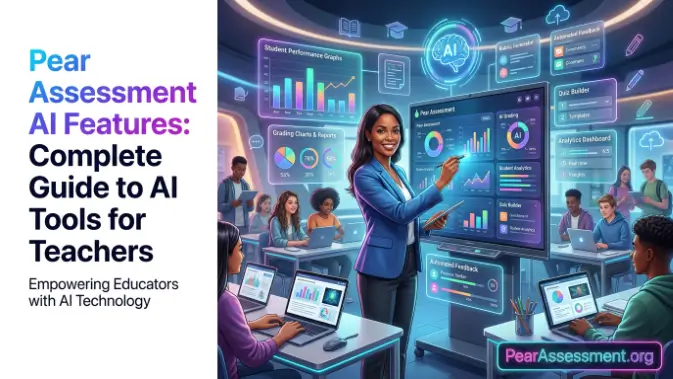
Welcome to pearassessment. Pear Assessment AI Features help educators create assessments, quizzes, and interactive lessons more efficiently with AI. Rather than designing every activity manually, teachers can generate classroom-ready materials within minutes and customize them around specific learning objectives. This saves preparation time while supporting more efficient teaching and stronger student engagement.
With AI assessment tools and educational AI, Pear Assessment AI Features assist with question creation, formative assessments, immediate feedback, and student performance insights. These capabilities help educators recognize learning gaps, adapt instruction, and make better classroom decisions, making assessment preparation more efficient and effective.
What Are Pear Assessment AI Features?
Pear Assessment AI Features are integrated AI tools designed to help teachers create assessments, generate questions, and develop interactive lessons more efficiently. Instead of creating materials from the beginning, educators can use AI assessment tools to generate classroom-ready content quickly. Teachers can then review and customize AI-generated activities according to learning objectives, grade levels, and student requirements.
How AI Works in Pear Assessment
Pear Assessment uses AI to generate questions, lesson activities, and formative assessments based on a simple prompt or topic. Teachers can provide a subject, learning objective, or standard, and the AI generates relevant content quickly. This simplifies lesson planning while allowing educators to review, edit, and refine the generated material.
Through educational AI, teachers can create engaging assessments more efficiently without giving up control over content quality. AI manages repetitive preparation tasks, giving educators more time to focus on instruction, student participation, and meaningful classroom discussions.
Why AI Features Matter for Teachers
Developing effective assessments can take considerable time, particularly for teachers managing several classes. Pear Assessment AI Features help reduce this workload by supporting automated content creation while allowing teachers to make the final decisions about their lessons. This can improve productivity and support consistent instructional quality.
With formative assessment capabilities and AI-supported insights, teachers can detect learning gaps, follow student progress, and adapt instruction using assessment data. These tools support more informed classroom decisions and help create interactive learning experiences.
Core Pear Assessment AI Features
Pear Assessment AI Features enable teachers to develop assessments, shorten preparation time, and encourage classroom engagement. These AI assessment tools can generate questions, create activities, support feedback, and organize student performance information. Teachers can review and modify AI-generated materials to ensure they are appropriate before using them with students.
AI Question Generator
The AI Question Generator can create multiple-choice, short-answer, and open-ended questions based on a topic, learning objective, or curriculum standard. Teachers can modify the difficulty, wording, and question format to meet the needs of different grade levels.
This capability makes it easier to prepare quizzes, exit tickets, review activities, and discussion questions while keeping them connected to lesson objectives.
AI Lesson and Assessment Creation
Pear Assessment AI can generate complete lesson activities and formative assessments from a straightforward prompt. Teachers can prepare classroom-ready materials in less time rather than designing each activity individually.
AI-generated lessons remain editable, allowing educators to include instructions, examples, or extra questions before assigning them to students. This helps ensure the final content fits classroom goals and relevant learning standards.
AI-Powered Formative Assessments
AI can help create formative assessments that check student understanding during instruction. Teachers can use these activities to evaluate comprehension, recognize misconceptions, and adjust teaching before progressing to another topic.
Frequent formative assessments provide useful evidence of student learning, enabling teachers to offer timely support and strengthen instructional outcomes.
Instant Feedback and Answer Review
AI can streamline answer review by organizing student responses and identifying frequent mistakes. Faster feedback allows teachers to recognize learning gaps and respond while instruction is still taking place.
Students can also benefit from receiving feedback sooner, giving them opportunities to correct errors, reinforce their understanding, and improve subsequent performance.
Student Performance Insights
Pear Assessment AI Features turn assessment results into useful classroom analytics. Teachers can monitor individual progress, review class performance, identify students who may need additional support, and observe learning patterns over time.
These insights encourage data-driven instruction by helping educators personalize teaching approaches, provide targeted support, and evaluate student learning growth more effectively.
Read also: Pear Assessment Dashboard Guide
Benefits of Pear Assessment AI Features
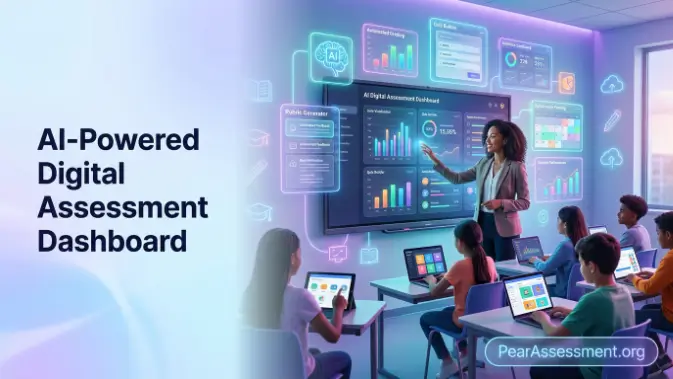
Pear Assessment AI Features help educators streamline assessment creation, increase classroom participation, and support stronger learning outcomes. By combining AI assessment tools with teacher expertise, educators can prepare instructional materials more efficiently, personalize learning activities, and use student performance data to make informed decisions.
Benefits of Pear Assessment
- Save Time on Assessment Creation: Create quizzes, exit tickets, and lesson activities within minutes rather than developing each one manually, helping reduce preparation time.
- Increase Student Engagement: Develop interactive learning activities that encourage participation and keep students involved throughout the lesson.
- Support Personalized Learning: Adjust AI-generated questions and activities for different ability levels, allowing students to work at a pace that suits their learning needs.
- Improve Teaching Efficiency: Reduce repetitive preparation tasks so teachers can dedicate more time to instruction, classroom discussions, and individual student support.
- Provide Instant Feedback: Review student responses efficiently, identify misconceptions early, and adjust instruction before learning gaps become more significant.
- Track Student Progress: Use classroom analytics to monitor achievement, recognize students who need additional support, and evaluate learning growth over time.
- Enhance Data-Driven Decisions: Examine assessment results to improve lesson planning, address areas of weakness, and strengthen overall classroom performance.
Pear Assessment AI vs. Traditional Assessment Creation
Pear Assessment AI Features make assessment development more efficient by supporting question generation, lesson preparation, and feedback, whereas traditional approaches depend largely on manual planning and content creation. AI can reduce preparation time, but teachers remain essential for reviewing accuracy, refining content, and ensuring assessments meet learning objectives. The table below outlines the main differences.
| Feature | Pear Assessment AI | Traditional Assessment |
| Time and Workflow | Generates assessments in minutes with AI support. | Depends on manual planning and question development. |
| Content Quality and Teacher Control | AI creates content that teachers can review and customize. | Teachers develop and manage every question themselves. |
| When to Use | Useful for quick lesson planning, quizzes, and formative assessments. | Useful for high-stakes exams or assessments requiring extensive customization. |
Best Practices for Using Pear Assessment AI Features
Using Pear Assessment AI Features effectively depends on active teacher guidance. Although AI can accelerate assessment development, reviewing and refining generated content helps ensure that it remains accurate, relevant, and connected to curriculum objectives. Combining AI assessment tools with professional judgment can lead to stronger lessons and more meaningful learning outcomes.
Write Clear Prompts
Include specific details in prompts, such as the subject, grade level, learning objective, question format, and desired difficulty. Clear instructions give AI the context needed to produce more relevant and classroom-ready material.
Avoid overly general prompts because they may result in broad or repetitive questions that require additional editing.
Review AI-Generated Content
Review AI-generated questions before presenting them to students. Check the information for accuracy, ensure the wording is understandable, confirm the difficulty is appropriate, and verify alignment with curriculum standards.
Modify examples, instructions, or answer options where necessary so the assessment better reflects your classroom needs and teaching approach.
Match AI Output to Learning Objectives
Make sure each AI-generated activity directly supports the intended learning objective and assesses the required knowledge or skills. Revise or remove questions that do not contribute to the desired lesson outcomes.
Treat AI as a starting point rather than a finished assessment. Combining generated material with teacher expertise can produce more accurate, relevant, engaging, and dependable learning activities.
Common Limitations and Solutions
Although Pear Assessment AI Features can simplify assessment development, AI-generated content still requires teacher oversight. Educators should review and refine materials for accuracy, relevance, and alignment with learning objectives. Using AI assessment tools together with professional expertise can lead to more effective classroom results.
AI Generates Generic Questions
AI may produce broad, repetitive, or less focused questions when prompts lack sufficient detail. Such questions may not accurately reflect specific lesson objectives or the needs of individual students.
Solution: Include the subject, grade level, learning objective, and question format in your prompts. Review and edit the generated questions to improve their relevance, clarity, and instructional value.
Content Needs Teacher Review
AI-generated materials can sometimes contain unclear wording or questions that do not fully correspond with curriculum standards. Using this content without review may affect assessment quality.
Solution: Evaluate each question for factual accuracy, clarity, appropriate difficulty, and curriculum alignment. Make necessary revisions before assigning the assessment to students.
Limited Context Understanding
AI does not automatically know your classroom environment, students’ individual abilities, or their previous learning experiences. Consequently, some generated activities may not fully match your instructional requirements.
Solution: Adapt AI-generated activities by adding relevant classroom examples and adjusting content to your students’ learning levels, existing knowledge, and specific lesson objectives.
Frequently Asked Questions
Are Pear Assessment AI Features free?
Some Pear Assessment AI Features may require a paid plan. Check your subscription to see which AI tools are available.
Can AI create quizzes automatically?
Yes. The AI can generate quizzes, formative assessments, and practice questions from a topic or learning objective.
Can teachers edit AI-generated content?
Yes. Teachers can review, edit, and customize AI-generated questions, activities, and assessments before assigning them to students.
Do Pear Assessment AI Features support different subjects?
Yes. They support multiple subjects and grade levels by generating content based on your prompts and learning objectives.
Are AI-generated assessments accurate?
AI-generated assessments are generally accurate, but teachers should always review and refine the content before classroom use.
Conclusion
Pear Assessment AI Features help teachers create assessments faster, improve student engagement, and simplify lesson planning with AI assessment tools. From AI-generated questions to performance insights, these features reduce preparation time while supporting more effective classroom instruction.
Although AI streamlines many tasks, teacher review remains essential for accuracy and curriculum alignment. By combining Pear Assessment AI Features with professional expertise, educators can create engaging, personalized, and high-quality learning experiences that improve student outcomes.