

There’s a particular classroom energy that only shows up when the whole class is playing the same learning game at the same time — the groan when a streak breaks, the cheer nobody planned, the student who never volunteers suddenly desperate to answer. Live practice in pear practice is the mode built to manufacture that energy on purpose: a synchronous, whole-class session where students answer standards-aligned questions together in real time, earn XP for their work, and advance their avatars along a shared Season Map, while you run the session from the front and watch the class’s understanding form live. This guide explains how Live Practice works, what the XP-avatar-map system actually does for motivation (and what it doesn’t), and how to run sessions that stay learning-first.
If you haven’t met the product yet, our explainer on what Pear Practice is covers the whole platform; this article zooms into its loudest room.
What happens in a Live Practice session
You launch Live Practice from a Practice Set — the questions are the same standards-aligned items students would meet independently — and the class joins the session together. From there, the shape is familiar to anyone who’s run a live review game: questions appear, students answer on their devices, the room sees progress and results as the session unfolds, and the social layer does its work. Students play in a collaborative-competitive frame — working and celebrating as a class while individual effort still registers — which is a deliberate balance: pure competition teaches half the room to stop trying by question four, while pure collaboration lets passengers ride. Live Practice aims at the productive middle, where the class’s shared journey (the map, the season) supplies the stakes and individual accuracy supplies the progress.
Your side of the screen matters as much as theirs. As host, you control the pace, see responses as they land, and — most valuably — see misunderstanding as it forms. The question that half the room gets wrong in independent practice becomes a report you read tomorrow; in Live Practice it becomes a pause, a thirty-second explanation, and a class that moves on actually ready. That immediacy is the mode’s real pedagogical claim: it’s formative assessment with the response time of conversation.
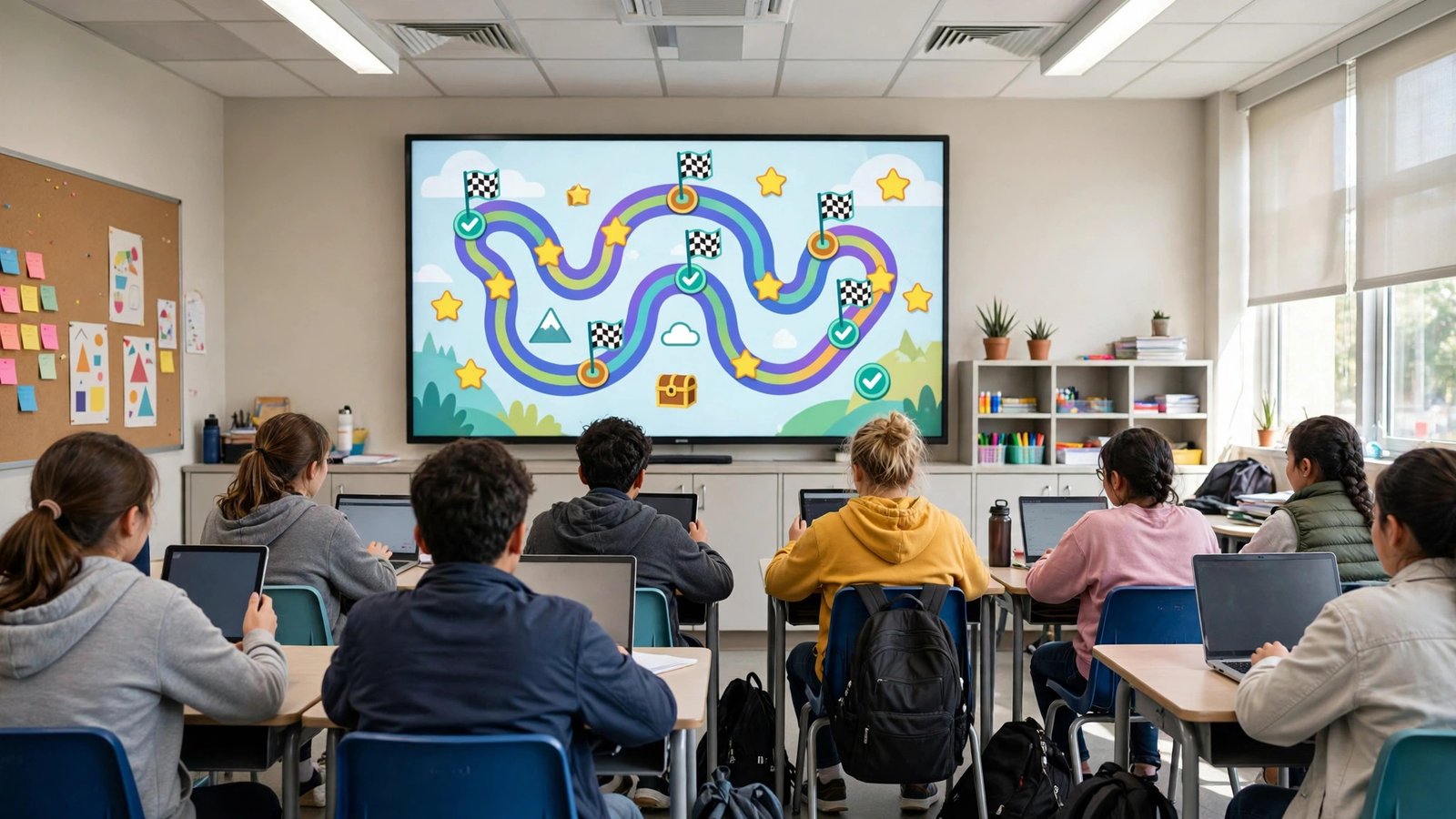
xp avatars and the season map in live practice
The game layer has three interlocking parts, and understanding them as a system explains both their power and their limits.
XP (experience points) is the currency of effort and accuracy: students earn it by answering — with correct answers worth more — and it accumulates across sessions, in Live Practice and independent work alike. XP converts “doing practice” into visible, permanent progress; unlike a worksheet score, it never feels like it evaporates at the bell. Its motivational genius is that it’s cumulative rather than comparative — a student’s XP total measures their own journey, so a struggling student who grinds through sets can build a total they’re proud of without ever winning a head-to-head.
Avatars are where the XP becomes identity. Students customize their characters, and the customization is self-expression more than decoration: choosing how you appear in the class’s shared world is genuinely motivating for the age groups Pear Practice serves, and it gives every student a visible stake in returning tomorrow. The teacher’s trick is to let avatar time be the reward it wants to be — a minute of it buys ten of focus.
The Season Map is the long arc: a journey students travel as they earn and progress, structured in seasons that give the school term chapters. Instead of practice being an endless identical treadmill, the map makes progress spatial — look how far we’ve come since September — and seasonal resets give everyone periodic fresh starts, including the student whose autumn went badly and who needs January to feel like a new game rather than a deeper hole. Together, the three systems cover the time horizons of motivation: XP for this answer, avatars for this week, the map for this term.
Honest limits, because teachers deserve them: the game layer motivates participation and persistence superbly, but it does not by itself teach. A student can earn steady XP on content that’s too easy, which is why your set selection and accuracy goals (see our accuracy goals guide) remain the teaching decisions; the game layer is the engine, your curation is the steering. Watch for the student gaming the game — rapid-guessing for completion XP — because your accuracy data will show it plainly, and a two-sentence conversation fixes what no setting can.
Running a session well
Live Practice sessions reward light structure. Choose the set for the moment: pre-test reviews want the greatest-hits set; Friday energy wants the mixed challenge set; a mid-unit check wants the current standard only, so the data you read is interpretable. Keep sessions short — ten to twenty minutes is the mode’s sweet spot; the energy that makes it work is a sprint’s energy, and a forty-minute session teaches you mainly about diminishing returns. Narrate the data: when a question splits the room, say so, teach into the gap for thirty seconds, and move on — modeling that wrong answers are information is worth more than the question itself. Close with the map: end by showing the class its collective progress on the Season Map; the ritual of visible shared advancement is what students remember and ask to repeat. And spare one sentence for the quiet achievers — the student whose accuracy was perfect but whose name never topped a leaderboard. Live Practice’s data lets you see them, and naming their contribution out loud, once, does more for their next month of effort than any XP bonus the system can award.
Sessions also slot beautifully into the week’s rhythm alongside independent sets: Live Practice for the shared moments (launch, review, pre-assessment warm-up), independent Practice Sets for the differentiated reps, and remixes to keep the whole thing retained. Run that rotation for a month and practice stops being a thing you assign and becomes a thing your class does.

Reading the room while you host
The difference between a good Live Practice session and a merely loud one is what the host does with the live information. Three reads matter. The split question: when responses divide the room meaningfully — half right, half wrong, with the wrong half sharing an answer — stop. That’s a live misconception, caught in the wild, and thirty seconds of “interesting — half of us chose B; here’s the trap in B” is worth more than the next three questions. The silence pattern: a question that takes the whole room unusually long usually isn’t hard, it’s confusingly worded or needs a concept re-anchored; note it for your set-revision list even if you push through in the moment. The streak check: glance at who’s gone quiet after early misses. The game layer holds most students, but the one who’s stopped answering needs a human intervention — a quiet word, a pair-up, a role — not more XP math. You’re not just hosting a game; you’re running a formative observation instrument that happens to be fun, and the teachers who treat it that way harvest data their colleagues wait a week to see.
There’s a recording habit worth building too. After each session, jot two lines in your planner: the standard that split the room, and the set that needs revising. Live Practice generates insight at the speed of the session itself, and it evaporates at the same speed if it isn’t captured. Those two-line notes, accumulated over a term, become your intervention agenda and your set-maintenance list — the paperwork of responsive teaching, written in the five minutes when it’s still true.
Who Live Practice serves best
The mode shines brightest with upper-elementary and middle-school classes — old enough to handle devices and pacing, young enough that avatars and seasons carry real charge — and with any class whose energy flags in the last period of the day. It also serves review weeks disproportionately well, because review is where motivation, not explanation, is the scarce resource; the content’s already been taught, and what students need is a reason to retrieve it eagerly, thirty questions in a row. Skeptical high-schoolers are the hardest audience for the game layer specifically — though the live pacing and instant class data still work — and for them, Live Practice often lands best framed transparently as a rapid-fire review tool rather than an adventure.
For current setup and hosting specifics, the official Pear Practice getting-started documentation is the reference to follow.

Frequently asked questions
Is Live Practice competitive or cooperative?
Deliberately both, weighted toward shared progress: the class journey and season framing are collective, while XP and accuracy keep individual effort meaningful. It’s designed so the room celebrates together without the bottom half quietly quitting.
Do students need their own devices?
Live Practice runs on student devices (one per student is the natural setup). If devices are scarce, independent sets and teacher-led review carry the week, and Live Practice becomes the computer-lab treat rather than the routine.

Can I use Live Practice as a graded assessment?
You could record results, but you’d be grading a sprint in a social setting — treat it as formative evidence and motivation, and let Pear Assessment — the family’s measurement tool — carry the graded weight. (For a full comparison of the two products’ roles, see our Pear Practice vs Pear Assessment guide.)
How long should a session run?
Ten to twenty minutes for most classes. End while the energy is up; the request “can we do that again tomorrow?” is the metric that matters.
What should I do with the results afterward?
Read them the same day, while the session is fresh: note the question or standard that split the room, check your two-line session note against the accuracy summary, and queue the follow-up — a standards-focused set for the students who struggled, a note to revise a confusing item, or simply confirmation that the class is ready to move on. Live Practice data decays in usefulness faster than any other kind, precisely because it’s so immediate; a split you noticed on Tuesday and act on Wednesday is a reteach, while the same split discovered the following week is archaeology.
The bottom line
Live Practice is Pear Practice’s whole-class engine: real questions, answered together, wrapped in an XP-avatar-Season Map system that converts effort into visible, cumulative progress. Its secret isn’t the game layer alone — it’s that the game layer buys you the class’s full attention, and the live data tells you exactly what to do with it. Keep sessions short, curate the sets, teach into the splits, and Friday review becomes the loudest learning of the week.