
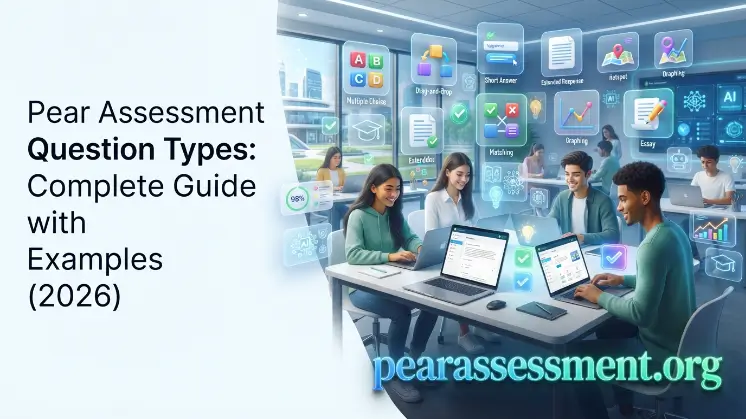
Welcome to Pear Assessment. Digital assessments give teachers more effective ways to measure student learning than traditional testing methods. Pear Assessment Question Types offer a variety of formats for evaluating knowledge, skills, problem-solving abilities, and critical thinking. Selecting the appropriate question format allows educators to build stronger assessments, encourage student participation, and recognize areas where additional learning support may be needed.
Pear Assessment offers interactive assessment questions, technology-enhanced items (TEIs), and digital classroom assessments created for today’s learning environments. Options range from multiple-choice and fill-in-the-blank questions to drag-and-drop, graphing, and multimedia-based formats, with each type serving a different assessment goal. This guide covers the main question types, their purposes, advantages, and practical approaches for developing effective online assessments.
What Are Pear Assessment Question Types?
Pear Assessment Question Types refer to the various question formats available through Pear Assessment that enable teachers to develop digital assessments for measuring student knowledge, skills, comprehension, and application. Rather than relying exclusively on conventional test formats, Pear Assessment enables educators to use multiple interactive approaches that assess different stages of learning, from basic recall to more complex reasoning and problem-solving. These formats support interactive assessment questions, online assessment tools, and technology-enhanced learning activities that can make assessments more engaging and useful. Teachers can choose formats according to their instructional objectives, subject matter, and students’ learning requirements. For instance, multiple-choice questions can be used to assess foundational concepts, graphing questions can measure mathematics abilities, while essay questions can provide insight into critical thinking and written communication.
What is Pear Assessment?
Pear Assessment is a digital assessment platform that helps educators create, organize, deliver, and evaluate online assessments. It gives teachers the ability to develop quizzes, assignments, practice exercises, benchmark assessments, and classroom evaluations that connect with curriculum standards and instructional objectives.
The platform offers a broad selection of digital classroom assessments, enabling teachers to combine familiar question formats with interactive digital features. Educators can design assessments across subjects such as mathematics, science, English language arts, social studies, and other academic disciplines.
Why Question Variety Matters
Including different question formats in an assessment is important because students can demonstrate their understanding in many different ways. Depending on only one type of question may provide an incomplete picture of student abilities, particularly when evaluating creativity, reasoning, application, and problem-solving skills.
For instance, a multiple-choice question can determine whether a student identifies the correct answer, but it may not show how well the student understands the underlying concept. By contrast, open-ended questions, interactive exercises, and problem-solving tasks can offer greater insight into how students approach and explain their thinking.
A well-balanced assessment that combines several formats can help teachers:
- Measure different learning abilities
- Increase student engagement
- Reduce guessing
- Support different learning styles
- Provide more accurate performance data
- Create better learning experiences
By combining a variety of assessment question formats, educators can develop more comprehensive evaluations that measure both theoretical knowledge and practical abilities.
Technology-Enhanced Items (TEIs)
Technology-enhanced items (TEIs) are digital assessment formats that allow students to interact directly with questions and learning content through technology. Unlike conventional paper-based questions, TEIs may ask students to complete actions such as dragging objects, selecting specific areas, entering equations, building graphs, or working with multimedia content.
These formats are intended to assess deeper levels of understanding instead of focusing only on memorization. They are widely useful in modern online assessment tools because they can provide a more practical and interactive method for measuring what students know and can do.
Examples of technology-enhanced items include:
- Drag-and-drop activities
- Hotspot questions
- Graphing tasks
- Equation editor questions
- Image labeling activities
- Interactive mathematics problems
- Audio and video responses
TEIs can be particularly useful in subjects where learners need to demonstrate applied or practical abilities. For example, a math student may plot points on a graph, a science student may label sections of a diagram, and a language learner may provide an answer through audio or video.
Complete List of Pear Assessment Question Types
Pear Assessment Question Types offer numerous formats for assessing student abilities, ranging from basic knowledge recall to higher-level problem-solving and critical thinking. Every question type has a particular role, allowing teachers to create digital classroom assessments, interactive assessment questions, and technology-enhanced items (TEIs) that align with specific learning objectives. Selecting an effective mix of formats can increase student engagement, generate more useful performance information, and support stronger online assessments.
Compression Table
| Question Type | Description | Best Use Case | Auto-Grading | Difficulty Level |
| Multiple Choice | Students choose one correct answer from several available options. | Knowledge checks, quizzes, concept review | Yes | Easy |
| Multi-Select | Students select more than one correct answer from the given choices. | Concept understanding, classification, deeper analysis | Yes | Medium |
| True or False | Students determine whether a given statement is correct or incorrect. | Quick checks, fact-based learning | Yes | Easy |
| Fill in the Blank | Students provide missing words, phrases, or numerical values. | Vocabulary, definitions, math answers | Yes | Easy–Medium |
| Short Answer | Students submit concise written responses to a question or prompt. | Explanation, reasoning, comprehension | Partial | Medium |
| Essay Questions | Students develop detailed written responses to demonstrate understanding. | Critical thinking, analysis, writing skills | No/Partial | Advanced |
| Matching | Students pair related items from two different groups. | Vocabulary, concepts, relationships | Yes | Easy–Medium |
| Drag and Drop | Students move items into their appropriate locations. | Labeling, sorting, sequencing, interactive learning | Yes | Medium |
| Ordering & Sequencing | Students place items in the correct sequence or order. | Processes, timelines, steps, cycles | Yes | Medium |
| Hotspot Questions | Students select a particular location on an image or diagram. | Maps, anatomy, diagrams, visual identification | Yes | Medium |
| Graphing Questions | Students create or interpret graphs by plotting data points. | Mathematics, science, data analysis | Yes | Medium–Advanced |
| Equation Editor | Students enter mathematical expressions with symbols and formulas. | Algebra, calculus, complex math problems | Yes | Advanced |
| Number Response | Students enter numerical responses to questions. | Calculations, formulas, problem-solving | Yes | Medium |
| Table Questions | Students complete, interpret, or evaluate information presented in tables. | Data interpretation, comparisons, organization | Yes/Partial | Medium |
| Image Labeling | Students identify and label specific parts of an image or diagram. | Science, geography, technical subjects | Yes | Medium |
| Audio Response | Students record and submit spoken responses. | Language learning, speaking assessments | No/Partial | Medium |
| Video Questions | Students answer through video recordings or evaluate video content. | Presentations, demonstrations, communication skills | No/Partial | Advanced |
| Dropdown Questions | Students choose responses from available dropdown menus. | Vocabulary, grammar, concept selection | Yes | Easy–Medium |
| Interactive Math Questions | Students work through problems with interactive digital tools. | Mathematics practice and skill assessment | Yes | Medium–Advanced |
| Other Technology-Enhanced Items | Interactive question formats that use digital tools and multimedia features. | Real-world tasks, advanced assessments | Depends on format | Advanced |
Read Also: Pear Assessment Pricing
How to Choose the Right Question Type

Selecting the appropriate format is essential when creating effective assessments. Pear Assessment Question Types should be chosen according to the learning objective, subject, and specific skill being evaluated. Different question types allow teachers to measure knowledge, reasoning, problem-solving, and practical skills more accurately. By matching each format with the assessment goal, educators can create more meaningful digital classroom assessments and gain clearer insights into student performance.
Knowledge Checks
For basic knowledge checks, teachers can use question types that quickly evaluate facts, definitions, and essential concepts. Pear Assessment Question Types, including multiple-choice, true-or-false, fill-in-the-blank, and matching questions, are useful for measuring recall and basic comprehension.
These formats work well for quizzes, review activities, and quick classroom assessments. Many can also be automatically graded, allowing teachers to quickly identify whether students understand key information.
Critical Thinking
Critical thinking assessments require students to analyze information, explain ideas, and apply knowledge to different situations. Question formats such as essay questions, short answers, interactive tasks, and scenario-based questions are useful for these objectives.
These technology-enhanced items (TEIs) allow students to demonstrate deeper understanding instead of simply selecting an answer. Open-ended and interactive formats can help evaluate reasoning, decision-making, interpretation, and problem-solving skills.
Math Assessments
Mathematics assessments require question formats that allow students to demonstrate calculations, formulas, and problem-solving abilities. Pear Assessment Question Types such as equation editor, graphing questions, number response, and interactive math questions are useful for evaluating mathematical skills.
Students can enter equations, plot data points, or provide numerical solutions, making these formats suitable for different types of math problems. Specialized math assessment tools can also provide teachers with clearer insights into student understanding.
Science Assessments
Science assessments often require students to interpret diagrams, analyze information, and apply scientific concepts. Question types such as hotspot, image labeling, graphing, drag-and-drop, and short-answer questions can be useful for science assessments.
These formats support interactive assessment questions by allowing students to identify diagram components, interpret data, and explain scientific processes. This makes it possible to assess scientific understanding beyond simple memorization.
Language Learning
Language assessments need to measure different skills, including vocabulary, grammar, reading, writing, listening, and speaking. Multiple-choice, fill-in-the-blank, essay, audio response, and video questions can be used to evaluate these abilities.
Using different assessment question formats allows teachers to assess both written and verbal communication. Audio and video responses are particularly useful for evaluating pronunciation, fluency, and speaking skills.
Pear Assessment Question Types vs Traditional Question Formats
Pear Assessment Question Types provide flexible and interactive options compared with traditional question formats. While conventional assessments often rely on printed questions, Pear Assessment includes technology-enhanced items (TEIs), interactive formats, and digital tools that can evaluate a wider range of student skills.
| Feature | Pear Assessment Question Types | Traditional Question Formats |
| Engagement | Uses interactive questions, multimedia content, and technology-based activities to increase student participation. | Primarily uses text-based questions with fewer interactive and visual elements. |
| Feedback | Provides faster feedback through automated scoring and digital performance information. | Feedback often depends on manual grading and may take longer. |
| Auto-Grading | Supports automatic grading for formats such as multiple choice, matching, and numerical responses. | Usually depends more on manual grading, especially for written and open-ended responses. |
| Analytics | Provides performance data and insights that can help identify learning gaps and student progress. | Offers limited analysis without additional tracking or manual review. |
| Accessibility | Supports flexible digital formats and different response methods for diverse learners. | Often relies on printed materials with fewer built-in accessibility options. |
| Classroom Use | Suitable for online learning, blended classrooms, quizzes, practice activities, and digital assessments. | Commonly used for paper exams, worksheets, and traditional classroom assessments. |
Using Pear Assessment Question Types allows teachers to combine different digital formats to measure knowledge, understanding, and practical skills. Interactive and traditional question formats can also be used together when an assessment requires a broader evaluation of student learning.
Too Many Multiple-Choice Questions
Multiple-choice questions are useful for checking knowledge, but relying too heavily on them can limit the range of skills being measured. Using only this format may assess recognition while providing fewer opportunities to evaluate reasoning, creativity, and problem-solving.
A balanced assessment can combine multiple-choice questions with other Pear Assessment Question Types, such as short answers, essays, drag-and-drop activities, and interactive questions. This provides a broader view of student knowledge and understanding.
Poor Distractors
Distractors are the incorrect answer options included in multiple-choice questions. Weak distractors that are obviously incorrect can make questions too easy and reduce their ability to measure actual understanding.
Effective distractors should be realistic and reflect common student mistakes. Well-designed assessment question formats can help teachers identify misconceptions and better understand student responses.
Overly Difficult Wording
Questions with unnecessarily complicated wording can make it harder for students to demonstrate what they know. Instructions should be clear, concise, and appropriate for the intended learners.
Clear wording allows students to focus on the question itself rather than trying to interpret confusing instructions. Well-written questions also support more effective online assessment tools and more reliable results.
Excessive Interactive Elements
Interactive questions can make assessments more engaging, but unnecessary interactive features may distract students from the main learning objective. Each interactive element should have a clear purpose and relate directly to the skill being assessed.
Teachers should use technology-enhanced items (TEIs) when they provide meaningful value, such as evaluating problem-solving, visual understanding, data interpretation, or practical skills.
Frequently Asked Questions
What are Pear Assessment Question Types?
Pear Assessment Question Types are digital question formats that help teachers create interactive assessments for measuring knowledge, skills, and understanding.
How many question types does Pear Assessment support?
Pear Assessment supports multiple question formats, including traditional and technology-enhanced items (TEIs) for different subjects and learning objectives.
Which Pear Assessment question types are automatically graded?
Multiple choice, matching, true or false, fill-in-the-blank, and numerical questions support automatic grading for faster assessment results.
Which Pear Assessment question types improve critical thinking?
Essay, short answer, interactive tasks, and problem-solving questions help evaluate reasoning, analysis, and deeper student understanding.
Can Pear Assessment be used for math assessments?
Yes, Pear Assessment supports math formats like graphing, equation editor, number response, and interactive mathematics questions.
Conclusion
Choosing the right Pear Assessment Question Types helps teachers create effective, engaging, and accurate assessments. Different formats, from multiple choice and short answer to technology-enhanced items (TEIs), allow educators to measure knowledge, creativity, problem-solving, and practical skills.
A balanced approach using varied assessment question formats improves student engagement, provides better feedback, and supports personalized learning. By understanding each question type and using it with clear learning goals, teachers can create stronger digital assessments that improve student outcomes.